Tattoo Font Generator - Copy and Paste
No favorites yet. Tap ♡ on a style to save it here.
𝔓̲𝔯̲𝔢̲𝔳̲𝔦̲𝔢̲𝔴̲ 𝔗̲𝔢̲𝔵̲𝔱̲
𝔓𝔯𝔢𝔳𝔦𝔢𝔴 𝔗𝔢𝔵𝔱
𝕻𝖗𝖊𝖛𝖎𝖊𝖜 𝕿𝖊𝖝𝖙
尸尺㠪ᐯ工㠪山 ㄒ㠪乂す
尸厂巳ソ讠巳山 丅巳乂七
卩尺乇ᐯ丨乇山 ㄒ乇乂ㄒ
𝒫𝓇ℯ𝓋𝒾ℯ𝓌 𝒯ℯ𝓍𝓉
𝓟𝓻𝓮𝓿𝓲𝓮𝔀 𝓣𝓮𝔁𝓽
𝗣𝗿𝗲𝘃𝗶𝗲𝘄 𝗧𝗲𝘅𝘁
prēงiēຟ tēxt
ƿՐ૯౮ɿ૯ω ੮૯૪੮
PЯΣVIΣЩ ƬΣXƬ
ρяєνιєω тєχт
φɾҽѵìҽա Ͳҽ×է
ρ𝘳ꫀꪜ𝓲ꫀ᭙ 𝓽ꫀ᥊𝓽
Pяёѵїёщ Tёжт
ᛈᚱᛖᚢᛁᛖᚹ ᛏᛖᚲᛊᛏ
ᛒᚱᛁᚢᛁᛁᚢ ᛏᛁᚴᛋᛏ
ᛓᚱᛁᚢᛁᛁᚢ ᛐᛁᚴᛌᛐ
ި◟ᛁ╮ᛁᛁ╮ ⸍ᛁᛍ╵⸍
ᛔᚱᛂᚡᛁᛂᚡ ᛐᛂᚴᛍᛐ
ᛈᚱᛖᚠᛁᛖᚹ ᛏᛖᚳᛋᛏ
p∷ᒷ⍊╎ᒷ∴ tᒷ̇/ℸ̣
𝘗𝘳𝘦𝘷𝘪𝘦𝘸 𝘛𝘦𝘹𝘵
𝑃𝑟𝑒𝑣𝑖𝑒𝑤 𝑇𝑒𝑥𝑡
𝑷𝒓𝒆𝒗𝒊𝒆𝒘 𝑻𝒆𝒙𝒕
ᏢᏒᎬᏉᎨᎬᏯ ᏖᎬᎲᏖ
ρ૨εѵเεω ƭεאƭ
թɾɛ᥎ıɛꝫ ꞇɛ᥊ꞇ
ƥɽⱸ꣗ίⱸ᭙ ȶⱸ᥊ȶ
P⌇r⌇e⌇v⌇i⌇e⌇w⌇ T⌇e⌇x⌇t⌇
ピーあーるいーびーあいいーだぶりゅー ティーいーえっくすてぃー
피아르이브이아이이더블유 티이엑스티
بيآرإيفيآيإيدبليو تيإيإكستي
披艾儿伊维艾伊达布留 提伊艾克斯提
пиаривиайидабл ю тииэксти
пиаривиайидабъл ю тииексти
ꉣ꒓ꍟꏝꂑꍟꅐ ꓅ꍟꇓ꓅
𝕻𝖗𝖊𝖛𝖎𝖊𝖜 𝕿𝖊𝖝𝖙
Ꝑɍēꝟīēⱳ Ⱦēӿⱦ
Seeing empty boxes ▯ after you paste? That app doesn't support the symbol. Try another style.
𝔱𝔞𝔱𝔱𝔬𝔬 𝔣𝔬𝔫𝔱 𝔤𝔢𝔫𝔢𝔯𝔞𝔱𝔬𝔯
Preview your tattoo lettering before the needle hits skin! Generate gothic, script, calligraphy, and chicano tattoo font styles. Copy and paste to share with your tattoo artist or plan your next ink.
Tattoo Font Generator - Copy and Paste in other languages
Related Font Generators
Browse other font text styles
FAST AND FREE
COPY AND PASTE YOUR TEXT IN 3 EASY STEPS
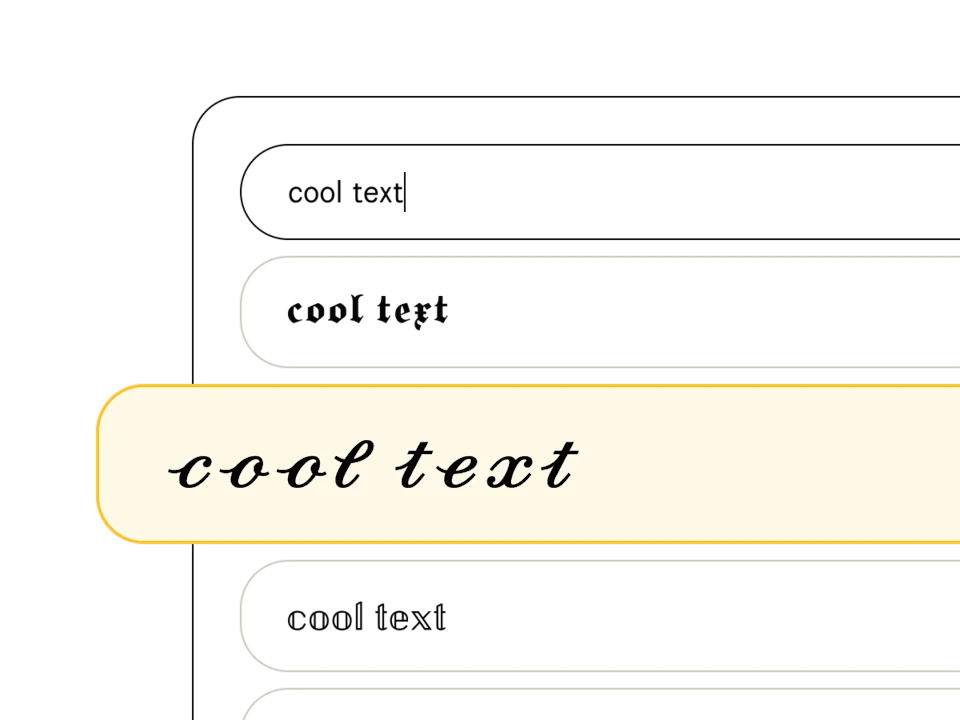
Pick a font style
Type your text in the font generator and peruse our list of 369+ text styles to find the perfect one. Fonts tagged with "Aa" include upper and lowercase, and those with a 🌐 support multiple languages.
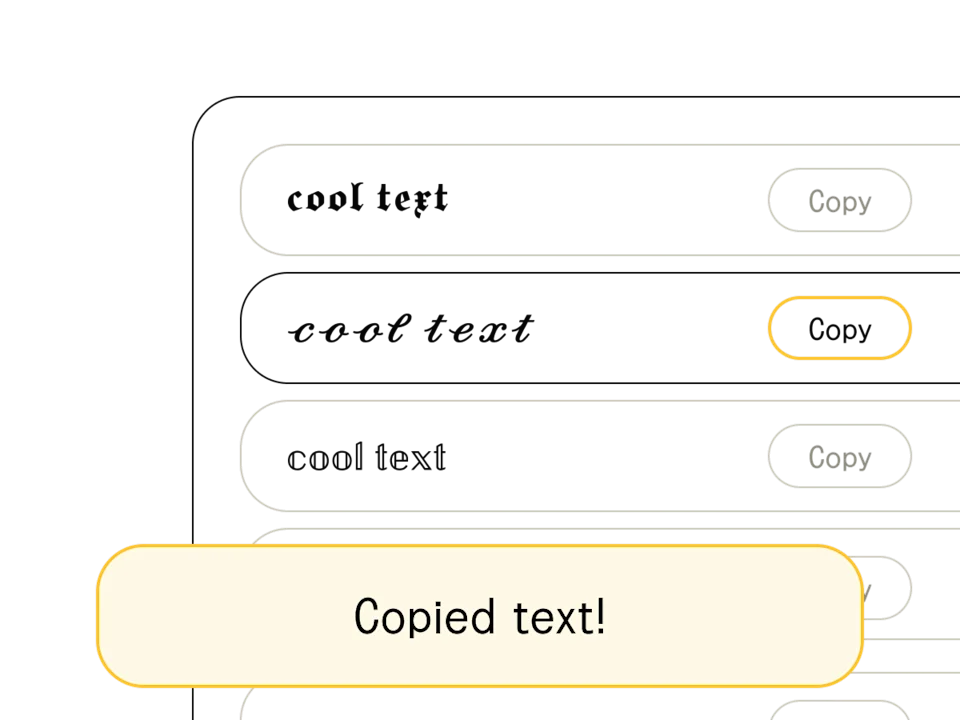
Copy/edit your text
Found your font? When you're happy with the output (and you've finished crafting your headline or message), hit the "copy" button to the right of your chosen text style. You can also select and Ctrl+C the text directly.
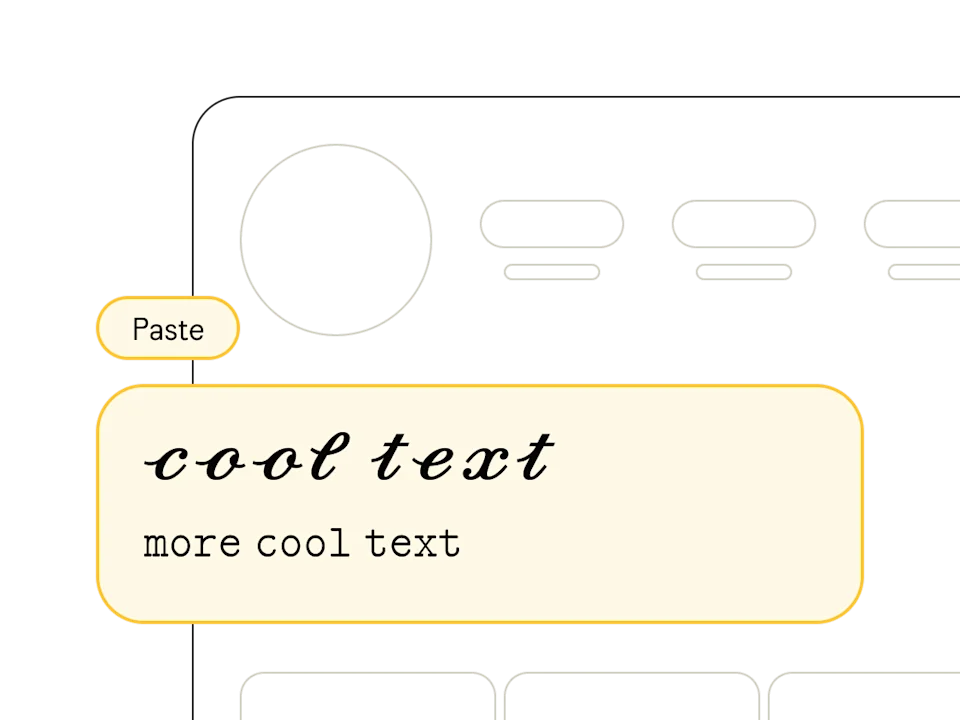
Paste anywhere
Once you've copied your text from our free online font generator, head on over to your social profile, design software, or messaging app and paste away! Pro tip: combine multiple styles to show off your design chops.
Preview Your Tattoo Lettering
Choosing the right font for a tattoo is one of the most important decisions in the design process. Our tattoo font generator lets you preview how different lettering styles look with your actual text — whether it's a name, quote, date, or word — before committing to permanent ink.
Popular Tattoo Font Styles
- Gothic/Blackletter — classic tattoo script with dramatic thick and thin strokes
- Chicano — flowing calligraphic style popular in traditional Chicano tattoo culture
- Script/Cursive — elegant handwritten-style lettering for names and quotes
- Old English — medieval-inspired blackletter for bold statement tattoos
- Calligraphy — refined brush-style lettering with artistic flourishes
How to Use This for Tattoo Planning
Type your desired text, browse through the Gothic, calligraphy, and script styles, and copy the ones you like. Share the styled text with your tattoo artist as a reference — it helps communicate the exact aesthetic you're looking for, making the consultation process smoother and more productive.
Tattoo Font Tips
When choosing tattoo lettering, consider readability at different sizes, how the style ages over time, and placement on the body. Thinner fonts may blur over years, while bold blackletter holds up well. Always work with a professional tattoo artist who can adapt any font reference to work as permanent body art.
How to Use this Tattoo Text Converter
Using our Tattoo font converter is simple! Just follow these steps:
- Type or paste your text in the input box above
- Your text will automatically be converted to Tattoo style
- Click on any of the generated Tattoo text styles to copy it
- Paste the copied Tattoo text wherever you want to use it
This Tattoo text converter also functions as a random fonts generator, letting you explore different styles instantly. Whether you need a special text generator for creative posts or a quick font changer stylish enough for professional bios, our user-friendly interface ensures everything is just a click away. Simply copy and paste fonts into any platform, and watch your standard text transform into impressive Tattoo text.
What is Tattoo Text?
Tattoo text is characterized by its distinctive style and unique features. Our Tattoo font generator transforms your normal text into beautiful Unicode Tattoo characters that you can use anywhere.
With our Tattoo font generator, you can easily create stylish text for social media posts, usernames, bios, messages, and more. The Tattoo text generated is actually made up of special Unicode characters, which means it can be copied and pasted as regular text anywhere that supports Unicode.
By converting standard letters into a variety of different styles, our tool acts as both a font converter and a text modifier, giving you a wide array of options. If you’re looking for a special text generator or a unicode text converter to produce eye-catching Tattoo text, this tool has you covered. It's perfect for adding a unique touch to your online presence, whether it’s a blog post, a comment, or a personal profile.
How does this Tattoo Font Changer Transform my Text?
Our Tattoo font changer uses Unicode character mappings to transform standard letters into fancy alternatives. Each style has its own unique set of characters that replace the regular alphabet while maintaining readability.
With our Tattoo font swapper, you can easily make stylish text for social media posts, usernames, bios, messages, and more. The Tattoo text generated is actually made up of special Unicode characters, which means it can be copied and pasted as regular text anywhere that supports Unicode.
Behind the scenes, this Tattoo text changer performs a seamless font conversion. Essentially, it’s a text generator stylish enough for any platform, allowing you to transform text into an array of different fonts. From bold to italicized designs, our tool is ideal for anyone wanting a quick text changer or font modifier to stand out online.
Why should you use this Online Tattoo Font Generation Tool?
Using a specialized font generator to produce Tattoo text gives you a simple way to add flair to your content. Whether you're chatting with friends, updating your social media bio, or designing graphics, a quick font converter can turn ordinary text into something eye-catching. With Tattoo text, you can emphasize creativity, boost your personal brand, or just have fun with different styles.
Moreover, our online Tattoo font generation tool saves you the hassle of manually searching for stylish fonts. Instead, it combines the functions of a special text generator and a unicode text converter, providing compatibility across numerous platforms. This means you can confidently copy and paste your Tattoo creations anywhere—from Facebook and Twitter to Instagram and beyond.
Is this Tattoo Font Style Tool Free and Compatible with All Devices?
Yes! This Tattoo font style tool is completely free to use, making it ideal for anyone looking to experiment with different fonts or transform text into stylish forms without any costs. Whether you're using a desktop computer, laptop, tablet, or smartphone, our font changer stylish interface ensures you have a smooth experience regardless of device type or operating system.
Since it uses Unicode characters under the hood, the Tattoo text you generate will remain intact and display consistently across most modern platforms. That means as long as your device supports Unicode (which nearly all do), you can create, copy, and paste your new Tattoo text without problems.
Understanding Unicode and Its Role in Tattoo Text
Unicode is a global standard that encompasses most of the world's writing systems, ensuring text looks consistent across various devices and platforms. Because the Tattoo text you generate is based on Unicode characters, it appears exactly as copied and maintains its stylistic integrity—no matter where it's pasted.
Thanks to Unicode, our Tattoo text generator works as a reliable unicode text converter, giving you the freedom to explore different styles and special fonts. This robust global standard is what allows each stylish text option to be recognized and displayed the same way on social media sites, messaging apps, or any other place you want to showcase your unique Tattoo text.
Where to Use Tattoo Text in Everyday Life
Wondering where your newly generated Tattoo text can shine? The possibilities are endless. Anywhere you want a little extra style or uniqueness, Tattoo text can help you stand out from the crowd.
- Social media posts (Instagram, TikTok, Twitter, and more)
- Profile bios and usernames (perfect for a stylish text generator approach)
- Messaging apps like WhatsApp or Discord for eye-catching messages
- Blog headers, article titles, and email signatures
- Personal branding, marketing materials, or just for fun
Because our tool doubles as both a random fonts generator and a text generator stylish tool, you have the flexibility to try an array of font styles. With just a few clicks, you can highlight your creativity in different fonts and make your online identity truly memorable.